
Common SRT Subtitle Errors and How to Fix Them
Troubleshoot malformed timestamps, numbering, missing blank lines, character encoding, and subtitle display problems in SRT files.
An SRT file is simple text, but a small formatting mistake can stop a player from reading a cue correctly. This guide walks through the errors worth checking first, how to recognize them, and how to test a corrected file.
Start with the basic SRT structure
Each cue normally contains a sequential number, a start and end timestamp, the subtitle text, and a blank line before the next cue. The timestamp uses hours, minutes, seconds, and milliseconds; the conventional separator before milliseconds is a comma.
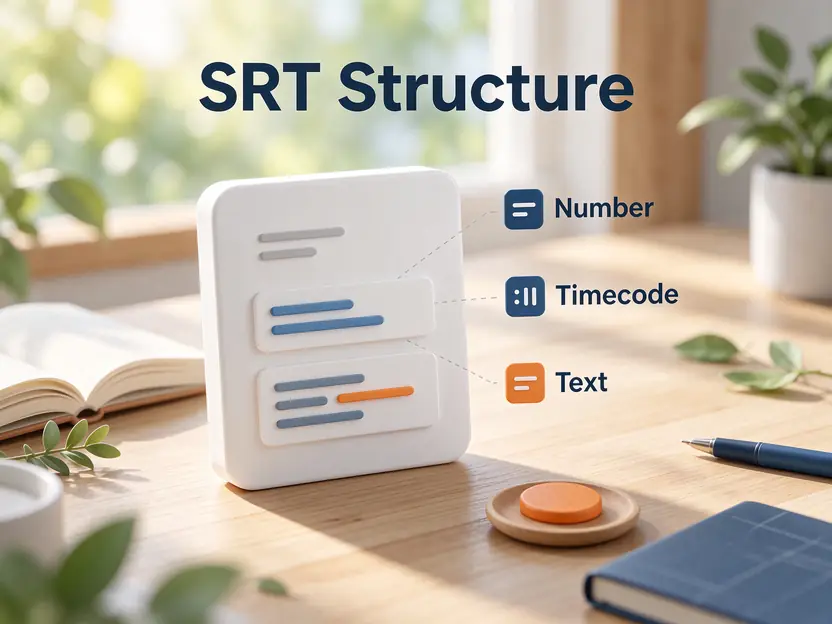
1
00:00:01,200 --> 00:00:03,400
A correctly structured subtitle cue.

2
00:00:03,800 --> 00:00:05,000
The next cue starts here.
Error 1: Invalid timestamp punctuation or order
A common SRT timestamp looks like 00:00:01,200. Check that the hours, minutes, and seconds are present, that milliseconds use three digits, and that the arrow is written as -->. Also check that each cue ends after it starts. A period in place of the comma is a frequent compatibility problem.

If a subtitle appears at the wrong moment rather than failing to load, inspect the actual time values. A syntactically valid file can still contain incorrect timing.
Error 2: Missing blank lines or broken numbering
Put a blank line between cue blocks. Number cues sequentially from 1 for the clearest compatibility, even though some readers are tolerant of numbering gaps. Do not place the next cue number directly after the previous subtitle text without a separating blank line.

If several cues are missing or merged, inspect the boundaries between blocks before rewriting the entire file.
Error 3: Garbled characters or unsupported formatting
When accented letters or non-Latin characters appear corrupted, check the file encoding. UTF-8 is a sensible modern default, but older subtitle collections may use legacy encodings. Re-save a copy rather than overwriting the only original, then test it in the target player.
SRT styling support varies between players. Basic markup may be interpreted differently, and advanced positioning or color tags are not guaranteed to display consistently.
A practical repair and validation workflow
Keep a backup, open the file in a text editor or subtitle editor, correct the structural issue, save as .srt, and load it with the matching video. Check the first cue, a cue near the middle, the final cue, special characters, and any sections where subtitles overlap or disappear.
Put this into practice
Use the subtitle editor to inspect cue text and timing, then test the exported SRT in the player or platform where it will be used.
SRT Subtitle Editor →Technical references
Frequently asked questions
Why will my SRT file not open?
Check the timestamp format, cue separators, blank lines, and file encoding. Also confirm that the file extension is .srt and that the player supports external SRT subtitles.
Should SRT timestamps use a comma or a period?
The conventional SRT timestamp uses a comma before milliseconds, for example 00:00:01,500. WebVTT uses a period.
Why do special characters look wrong?
The file may be decoded with the wrong character encoding. Try saving a copy as UTF-8 and test it in the intended player.
Related guides
Last reviewed: November 15, 2026. Codec support and delivery requirements can change; check current documentation before relying on a particular workflow.